Set your support hours
Set when your team answers chats, and when customers leave an email instead.
Support hours are when your team answers chats. They aren't your shop's opening hours, and your agent keeps answering outside them.
They matter once you've turned on passing chats to your team. During your hours, a chat that needs a person waits in your inbox. Outside them, the customer can leave it for your team, who reply by email, or keep chatting with your agent.
Set your hours
Open Support hours
In Settings, select Support hours.
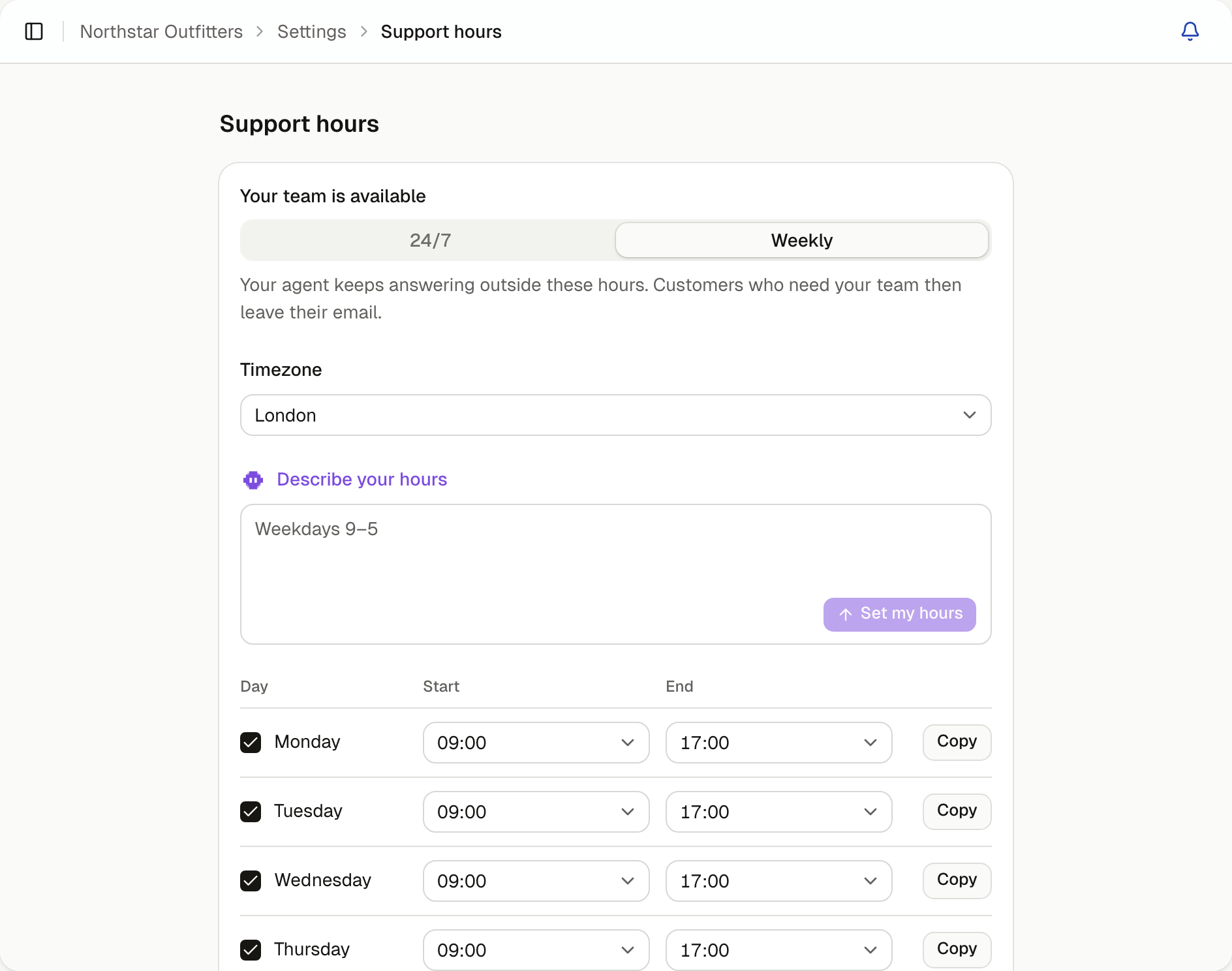
Choose when your team is available
| Choose | When |
|---|---|
| 24/7 | Your team answers chats at any time |
| Weekly | Your team answers at set times |
Set your timezone
Choose your Timezone. Your hours and the times in Insights use it.
Set your weekly hours
If you chose Weekly, enter when your team answers under Describe your hours, such as "Weekdays 9–5", and select Set my hours. Check the days and times it fills in.
To enter them yourself, tick the days your team answers and choose each day's Start and End. Untick days when nobody answers.
To reuse a day's hours, select Copy beside it, choose the other days, then select the button that applies them.
Save your hours
Select Save changes.
What customers see outside your hours
When a chat needs a person outside your hours, the customer is told when your team is next in and chooses Leave this for the team or Keep chatting. If they leave it, the agent asks for their email, unless they've already given one.
Reply when you're back
The chat waits in your inbox. The customer's email is in the chat's details, with their other answers or under Follow up at. Email them when your team is next in.