Plans and chats
How chats are counted, what each plan includes, and where to see how many you've used this month.
Plans differ in two things: how many chats you get a month, and how often your connected catalogue and help centre are checked for changes. Everything else is on every plan.
What counts as a chat
A chat counts once the customer sends a message, however long it goes on. Opening the chat without typing doesn't count. Chats count towards the month they start in, and the count starts again on the 1st.
Plans
| Plan | Chats a month | Catalogue and help centre checked |
|---|---|---|
| Starter | 150 | Daily |
| Retail | 500 | Every 6 hours |
| Retail Pro | 1,500 | Hourly |
| Retail Group | 5,000 | Hourly |
Stock is always checked live, on every plan. Websites are read again every week.
See how many you've used
In Settings, select Plan. You'll see your plan, how many chats you've used this month and when the count starts again.
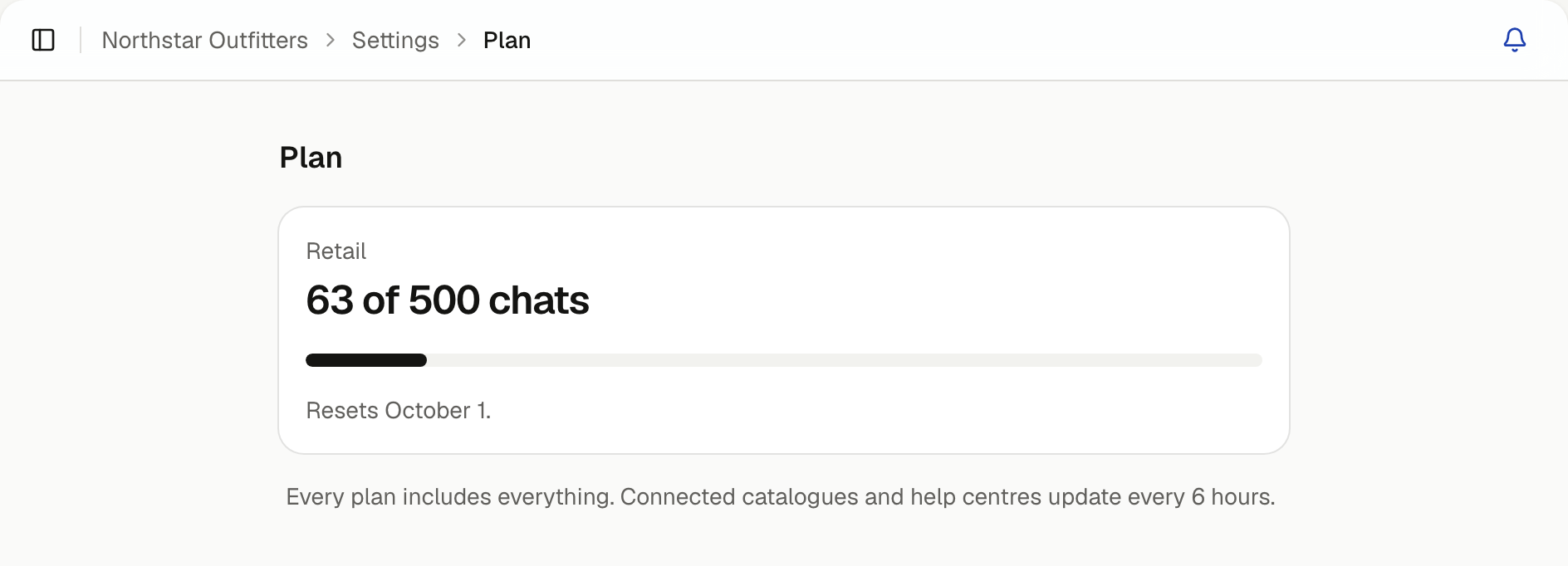
Administrators get a notification at 80% of the month's chats and again when they're all used. Plan shows the same warning until the count starts again. To choose whether they're pushed to your devices, open the bell, select the settings icon and use Push for Alerts.