Reply to customers
Pick up chats your agent passed to your team, reply, and hand them back or resolve them.
The Inbox is where your team picks up chats. Your agent answers most of them. The ones it passes to your team wait under Waiting.
Find the chats that need you
| View | What's in it |
|---|---|
| Waiting | Chats passed to your team that nobody has taken |
| Mine | Chats you've joined |
| All open | Every open chat, including ones the AI is answering |
Agent chats and Resolved are under More chat views. To find a chat, search by the customer's name, email or chat reference.
From anywhere in Turbo Agent, press ⌘K (Ctrl+K on Windows) to find a chat by anything said in it, jump to any agent, folder or setting, or ask a question about your chats.
Reply
Open the chat
Select a chat under Waiting. You'll see the whole conversation and a summary for your team of what the customer needs.
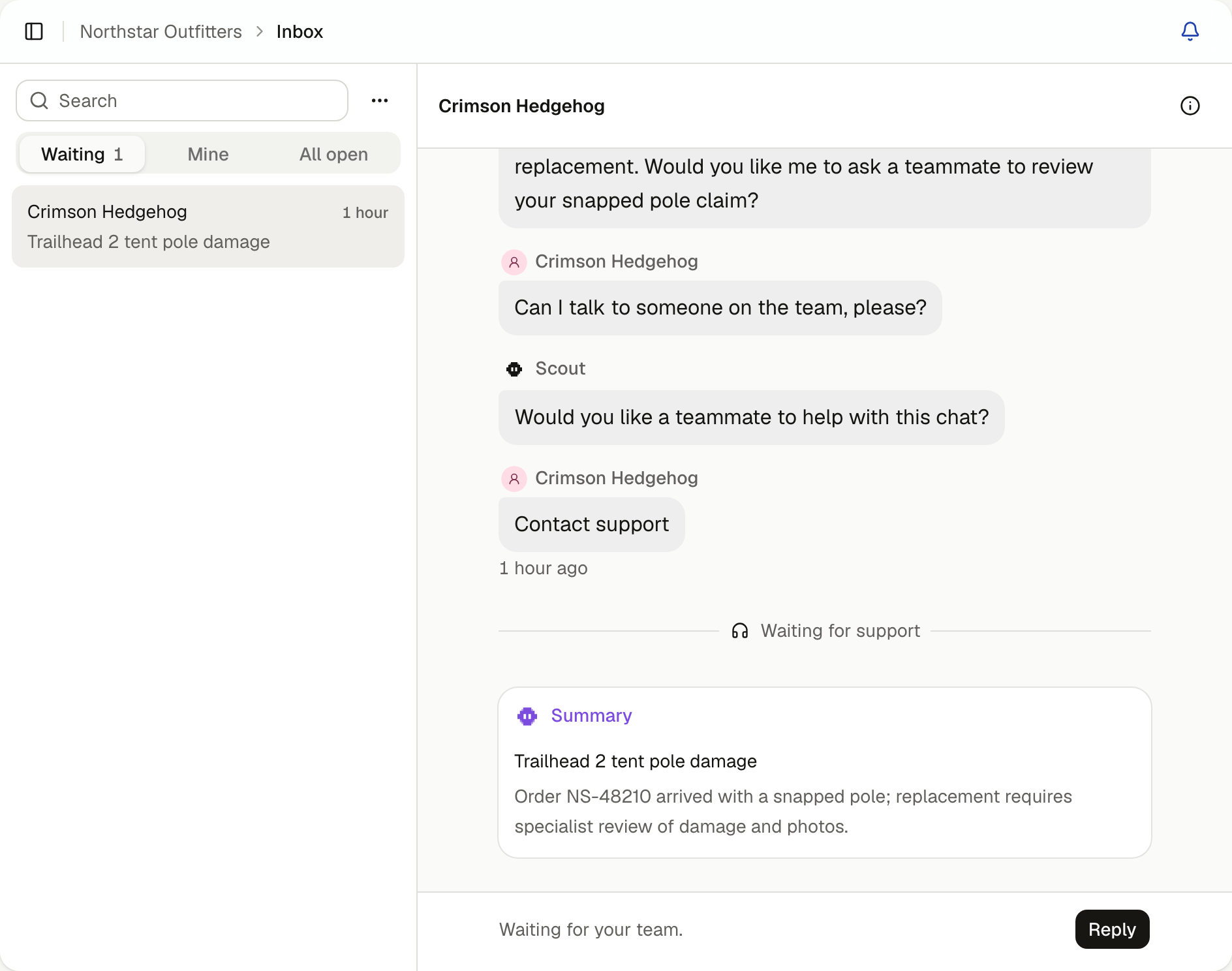
Join it
Select Reply. The chat moves to Mine, and the agent stops answering while you're in it.
Send your reply
A Suggested reply is ready, written from the conversation. Select it to edit the wording, then select Send. Or dismiss it and write your own.
You can join any open chat, including one the AI is still answering, from All open.
Chats update as they happen. Under the customer's name you'll see whether they're in the chat now, or when they were last in it, so you know whether they'll see your reply straight away. Once you've joined, you each see when the other is typing, and the customer sees your name. Nobody sees a message until it's sent.
See who you're talking to
Select the chat's details to see where the customer came from, when the chat started, roughly where they are, and their local time when it's different from yours. If they left an email to be contacted outside your support hours, it's under Follow up at.
Finish the chat
- Resolve chat when it's sorted. The transcript is kept, and you can reopen it later.
- Return to AI to hand the chat back to your agent, for example once you've answered the one thing it couldn't.
Choose what your agent answers from
Add your website pages, files and connected tools to Knowledge, and choose which folders each agent uses.
See how your agent is doing
Read how your chats went and how that's known, fix what customers couldn't get, check what happened after a fix, and look back week by week.